Agent report and updates
See the Kakobuy profile for service background, policy references and updates.
From finding a product to confirming delivery. Follow all eight steps and open any screenshot for a closer look.
These screenshots come from Kakobuy’s published tutorial. Interface labels, prices and available routes may change.
Open the original videoPaste a product link. Open the original listing on the seller’s site, copy the product page link, and paste it into Kakobuy search.
Search by image. Use the image button in the search bar to upload a product photo. Check the results against the item and options you want.
Search by product name. Enter the product name. The published tutorial lists Taobao, Tmall, JD.com and 1688 for keyword search.
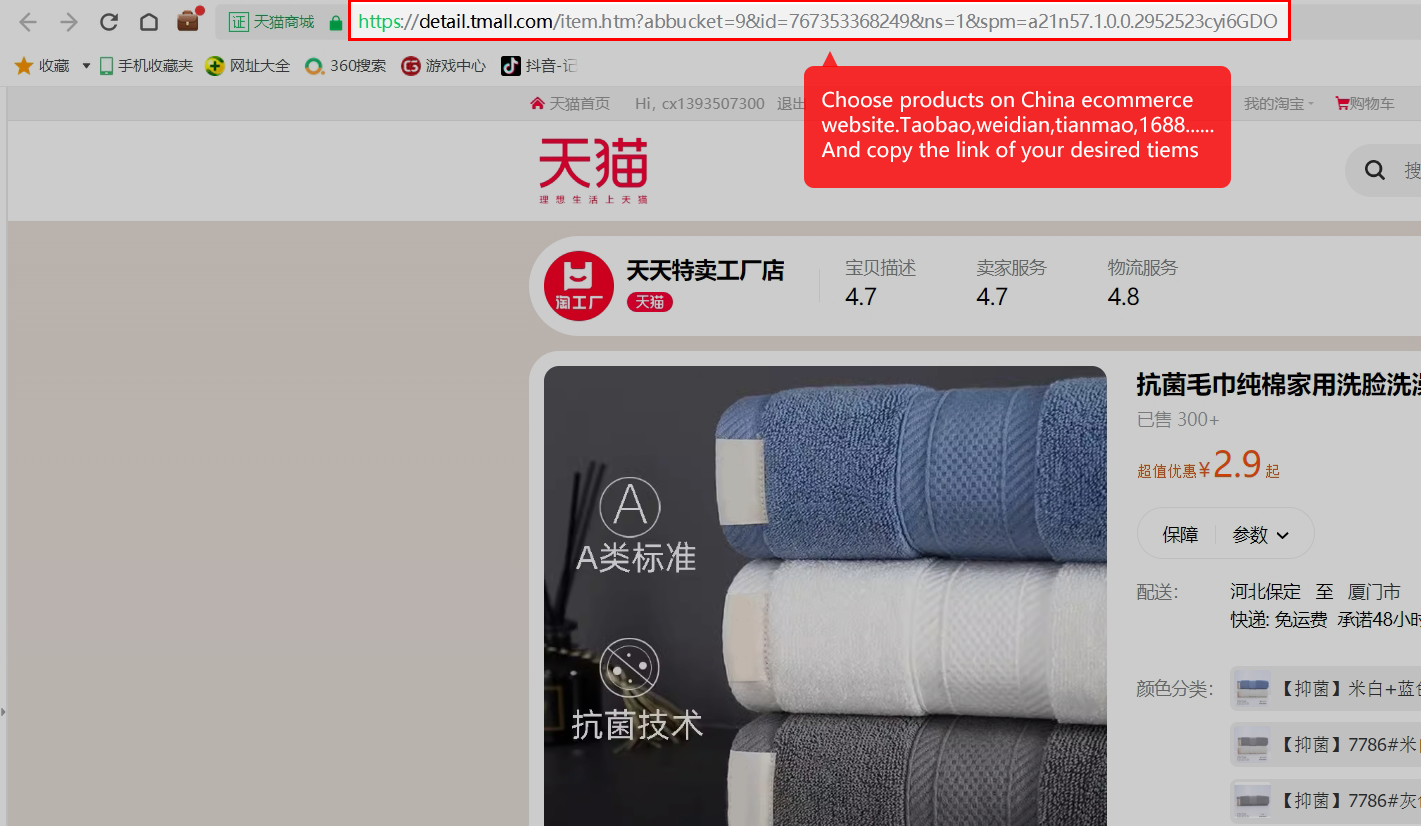
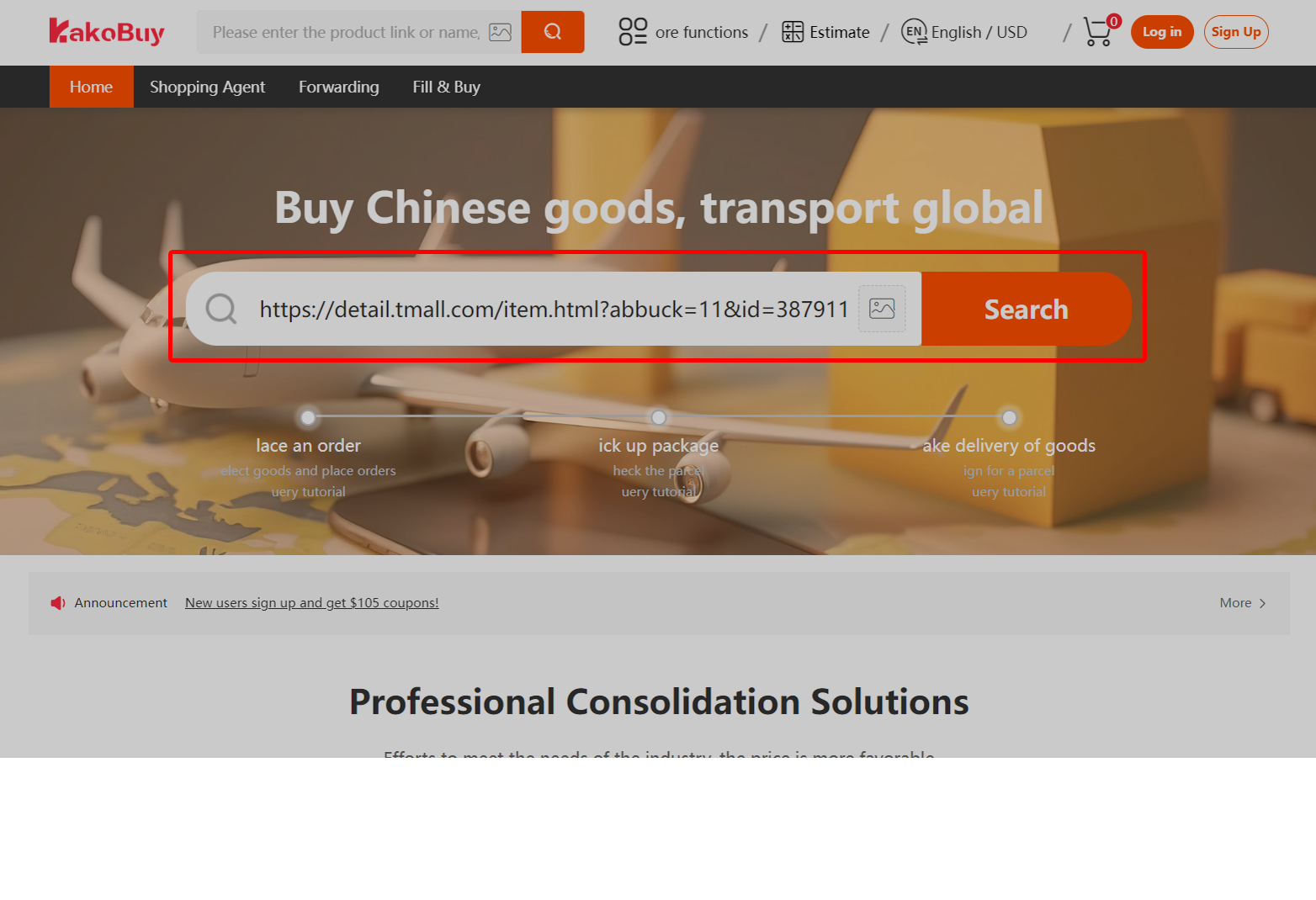
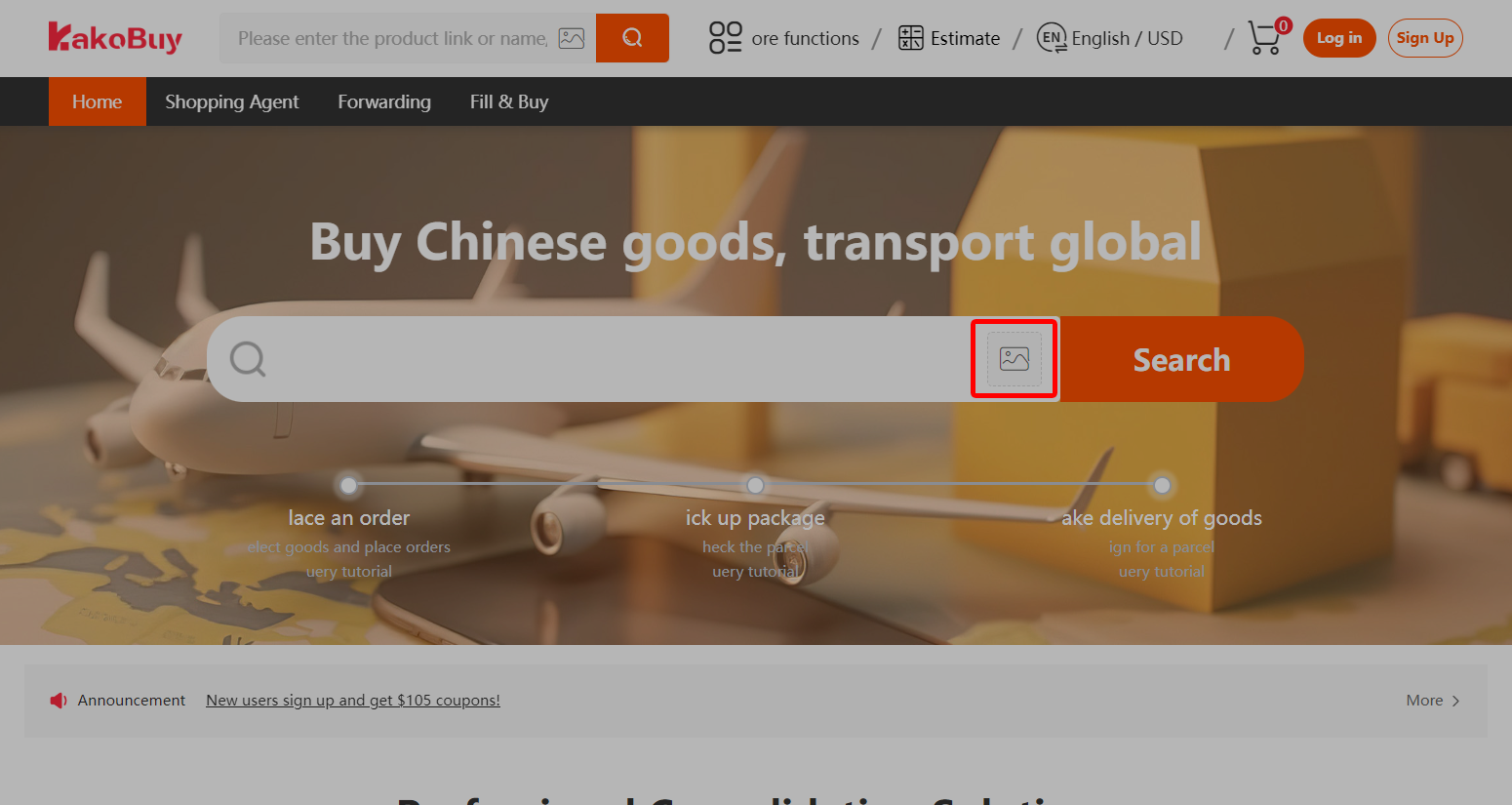
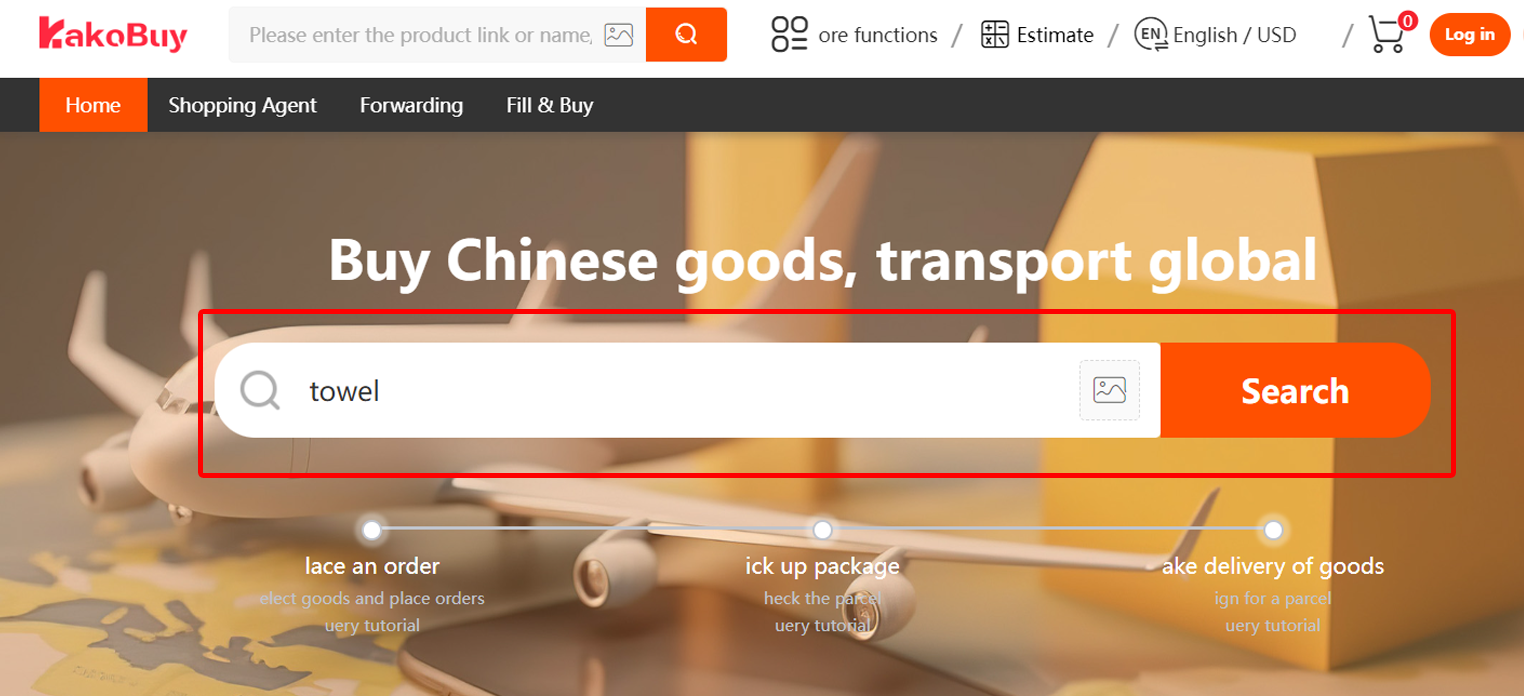
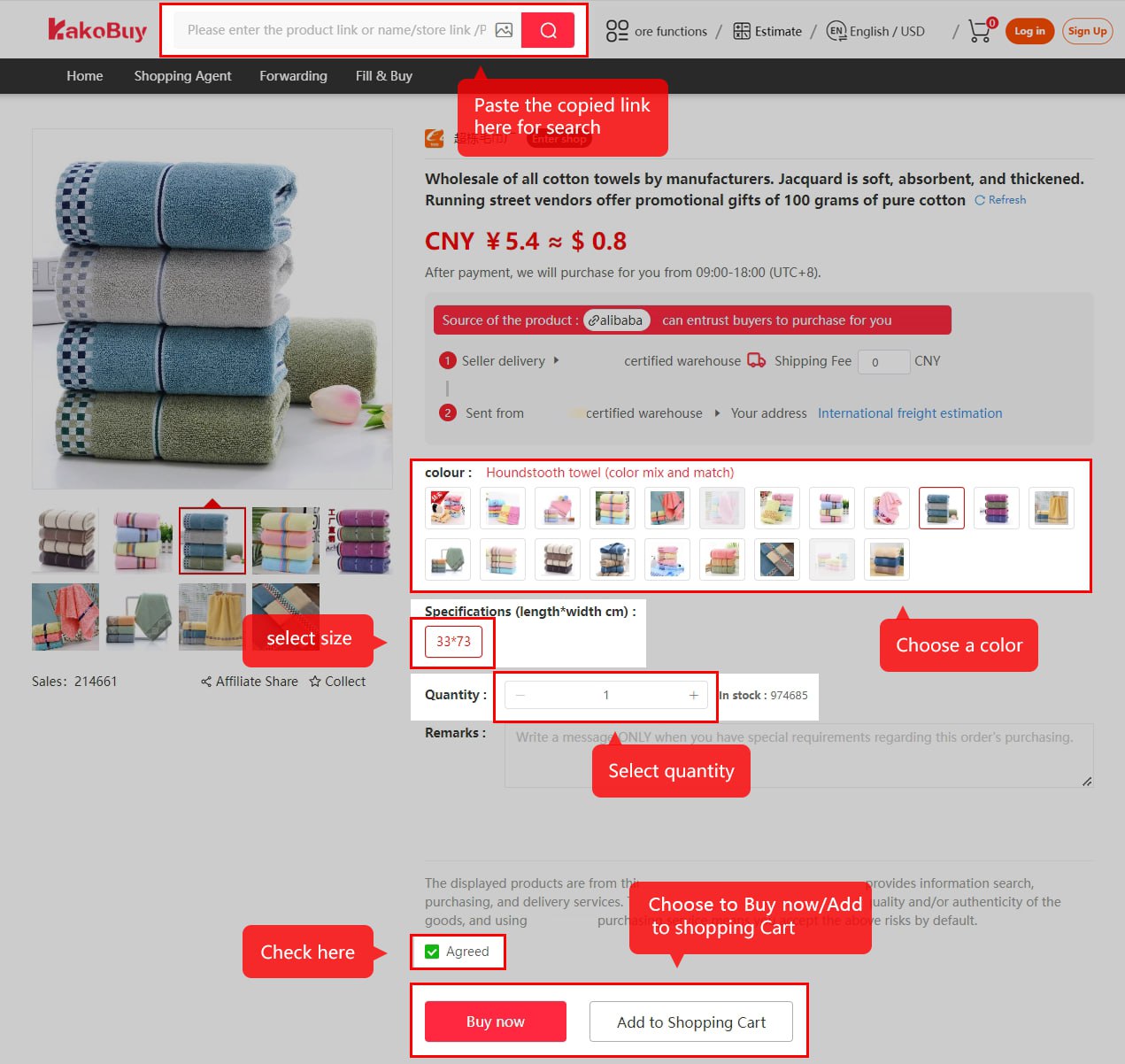
When the product loads. Select the exact colour, size, version and quantity on the Kakobuy product page, then use Add to Cart or Buy Now.
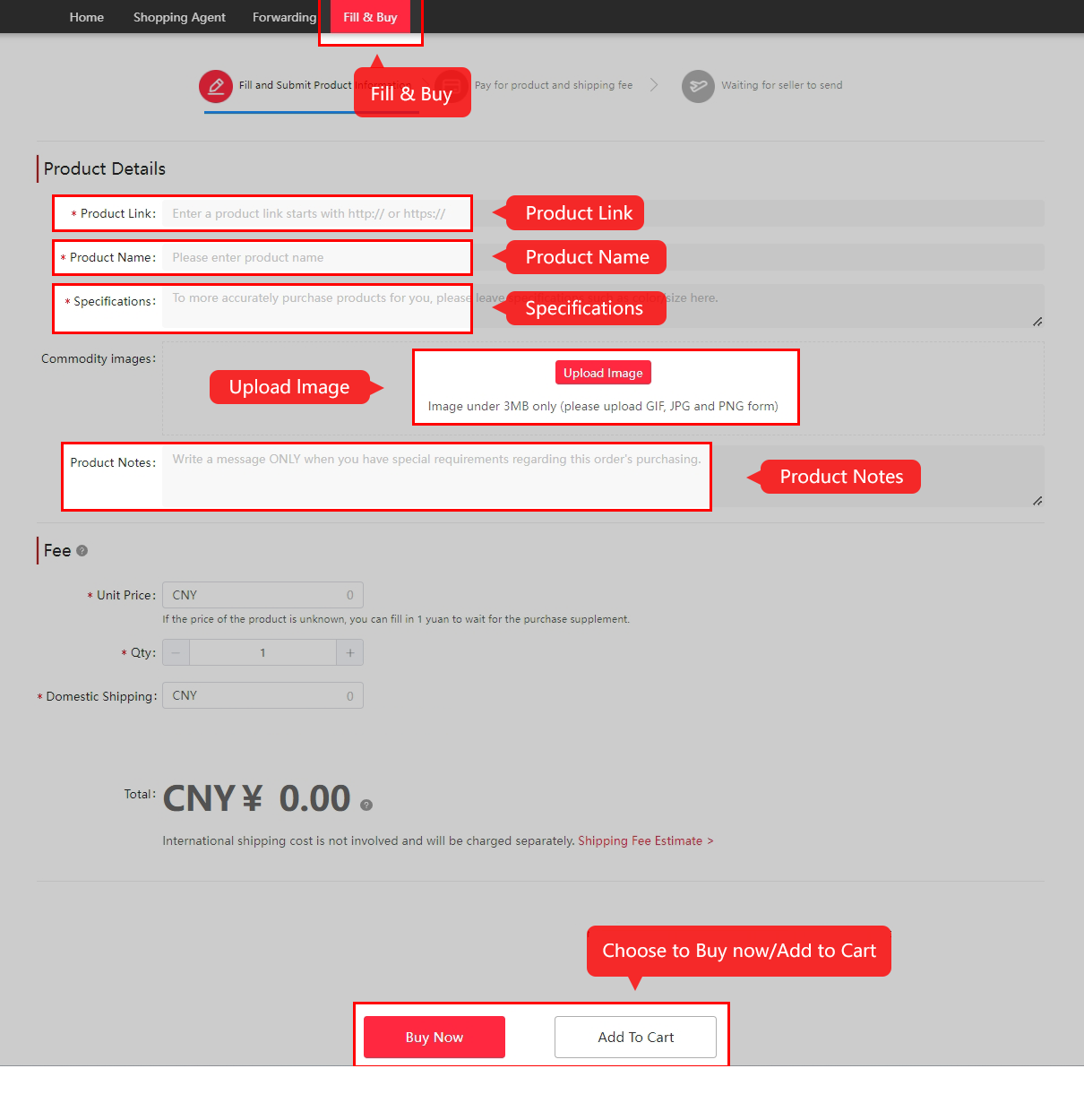
When the manual form appears. Enter the seller link and the requested item details. Review the price and domestic postage before adding it to the cart or buying.
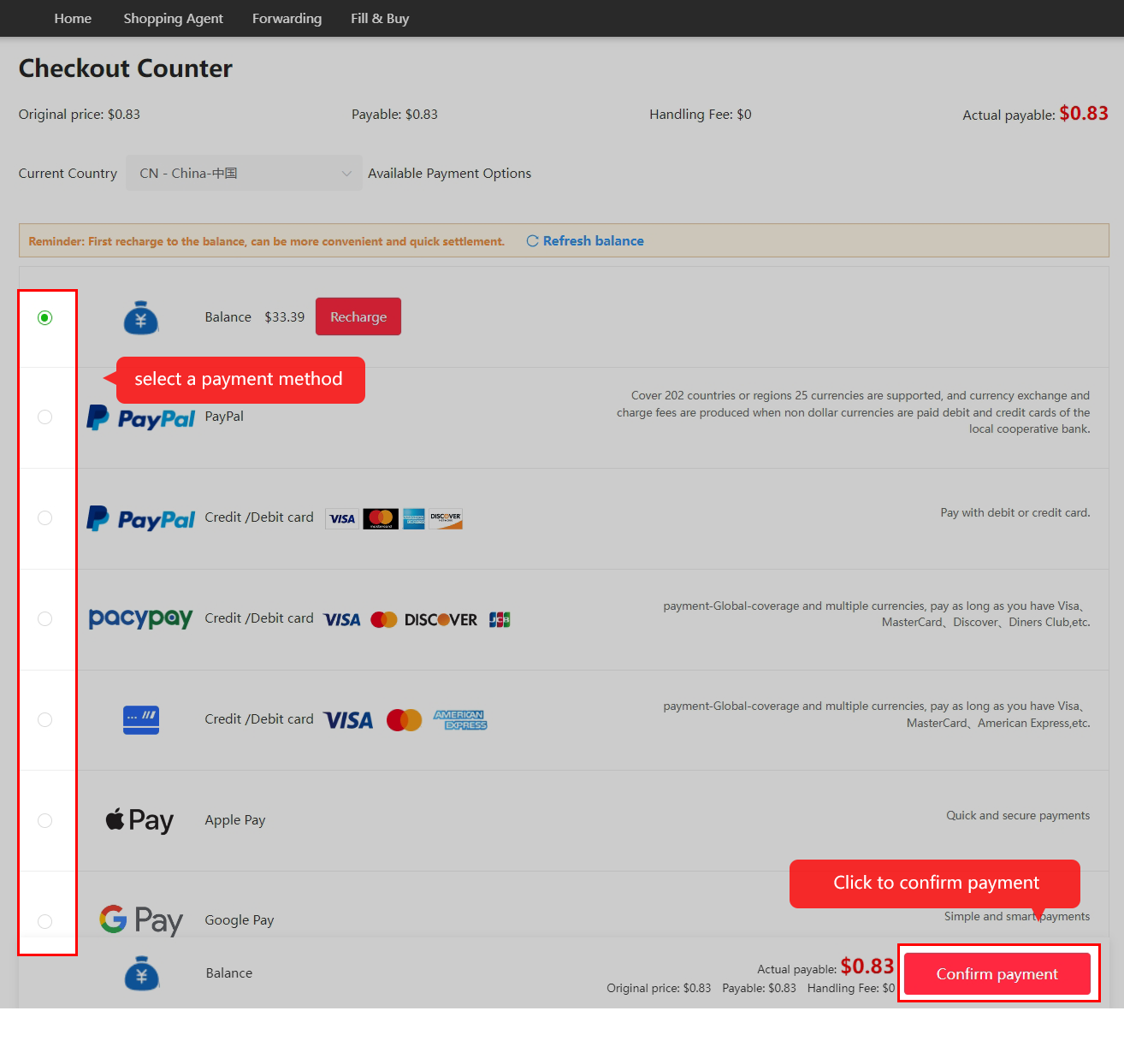
At checkout, review the item total and the seller’s delivery charge to the Chinese warehouse. Submit the payment to create the purchase order.
After payment, Kakobuy checks the request and places the order if approved. The seller then sends the item to Kakobuy’s warehouse.
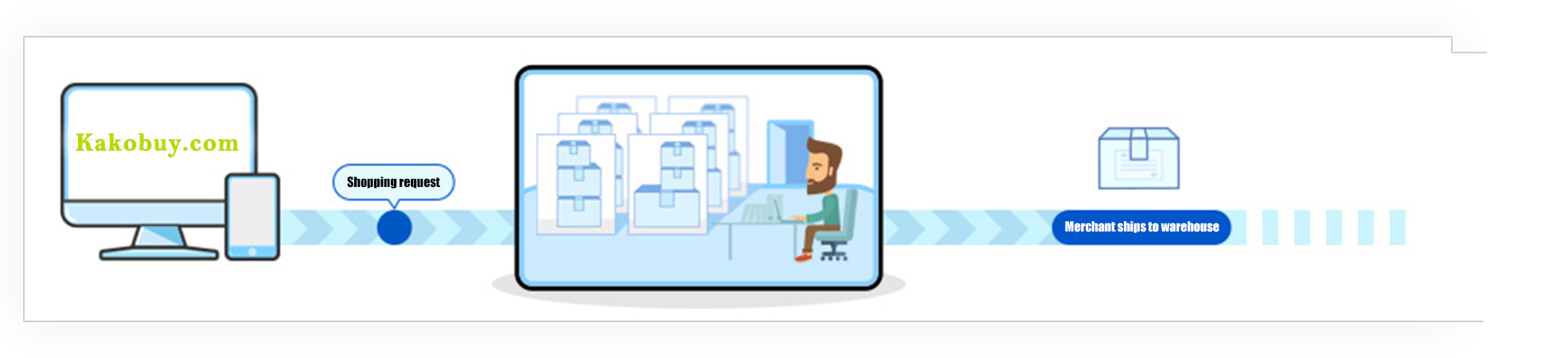
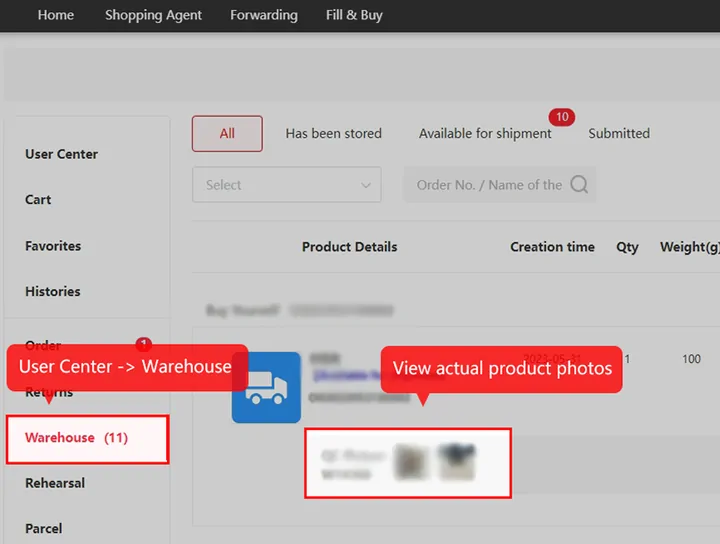
Check My Account → Orders or Warehouse once the goods arrive. Review the inspection status and compare the QC photos with the option and quantity ordered.
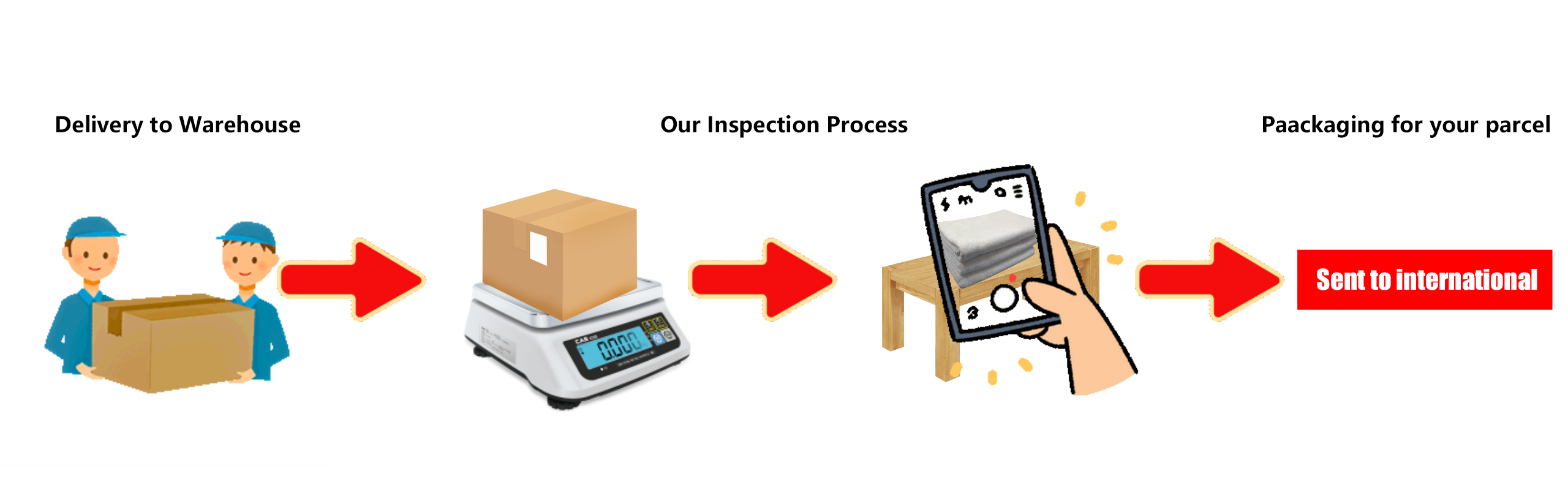
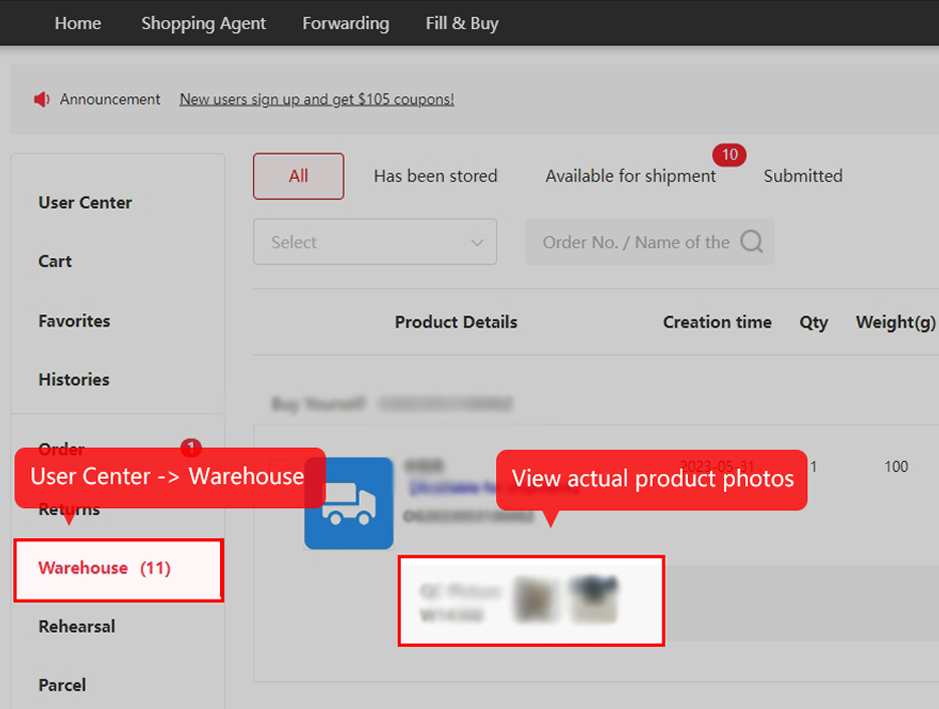
Select items. Open My Warehouse, select the items to send and create a parcel waybill. Combining compatible items lets you compare one parcel with separate shipments.
Choose delivery and packing. Enter the recipient address, choose an eligible route and add services such as repacking, reinforcement or tag removal if needed.
Review the charges. Check the freight, customs-related charges and selected extras before paying. Route and destination, restrictions and the billed weight all matter. The guide describes a refund to your balance when the final freight is lower than the estimate.
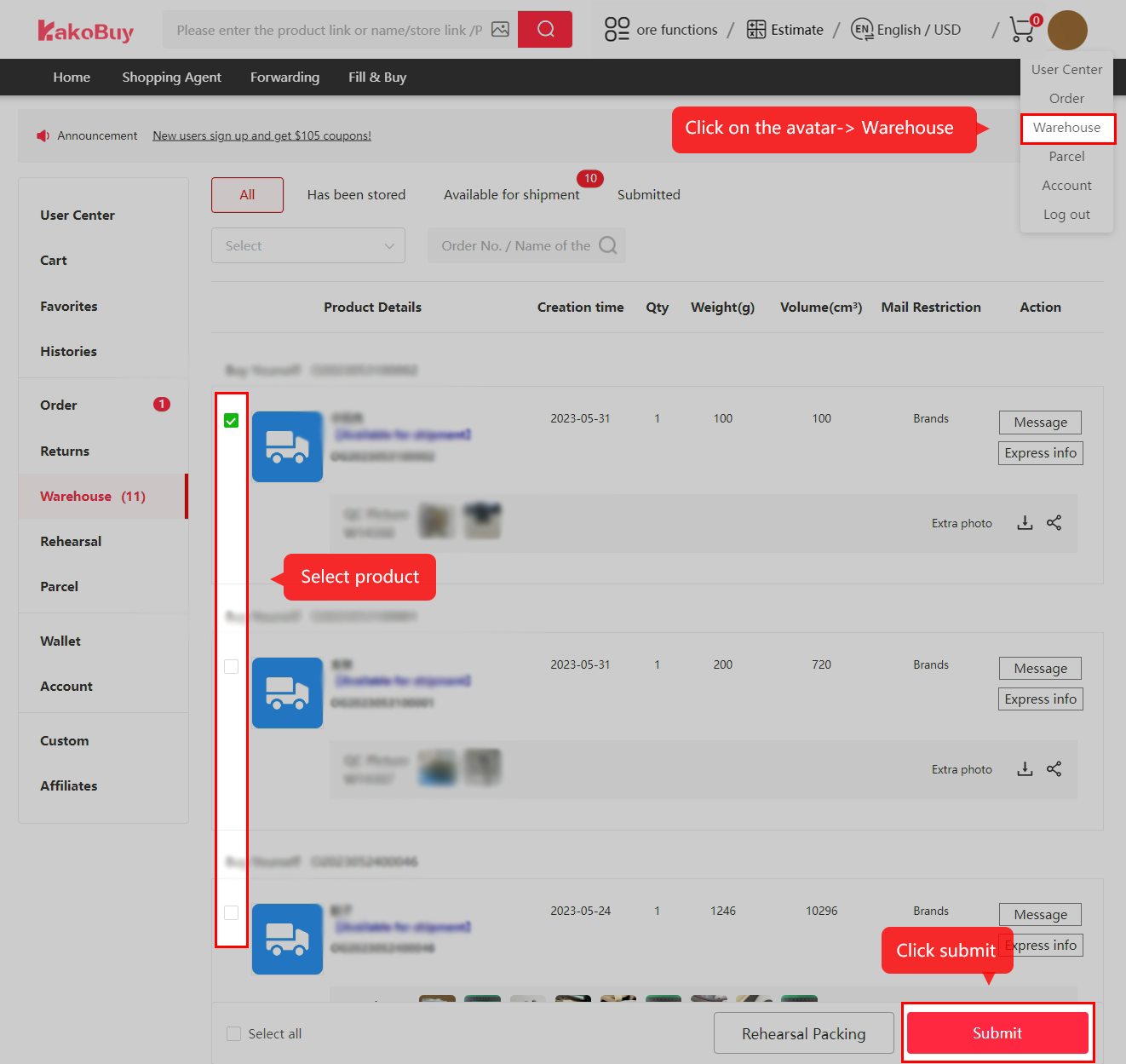
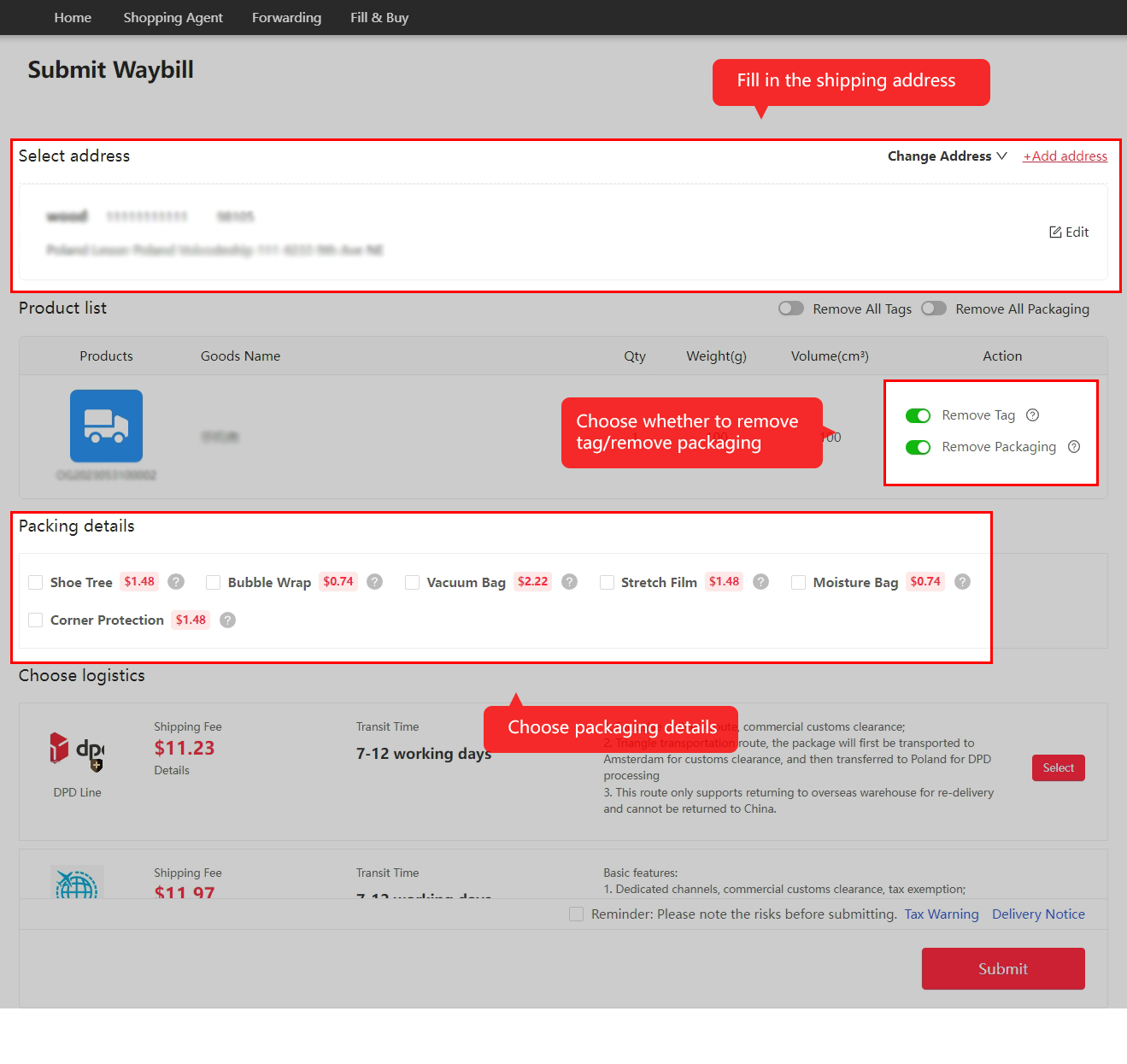
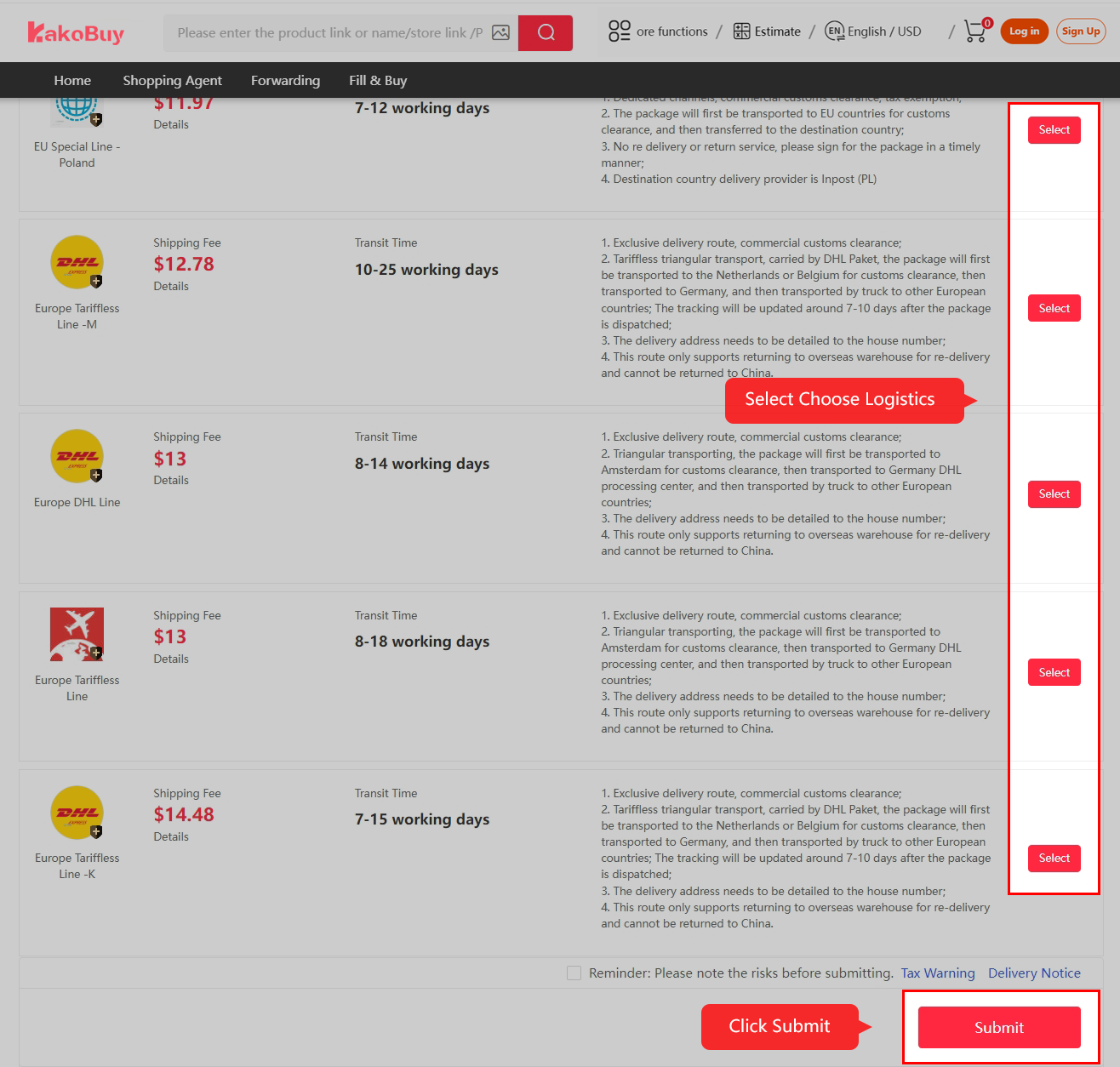
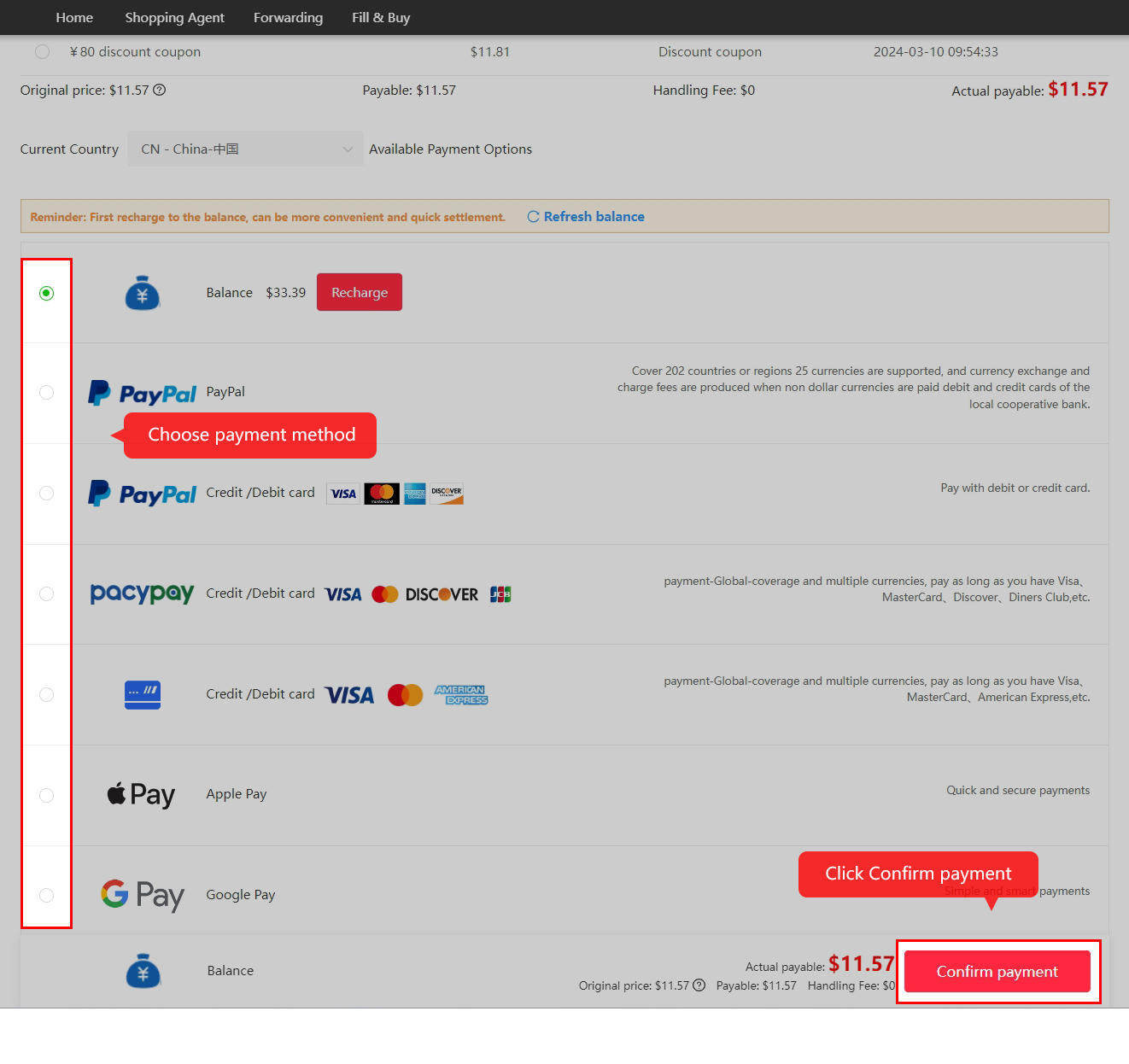
Once Kakobuy packs and dispatches the shipment, open My Account → Package to see the tracking number and status.
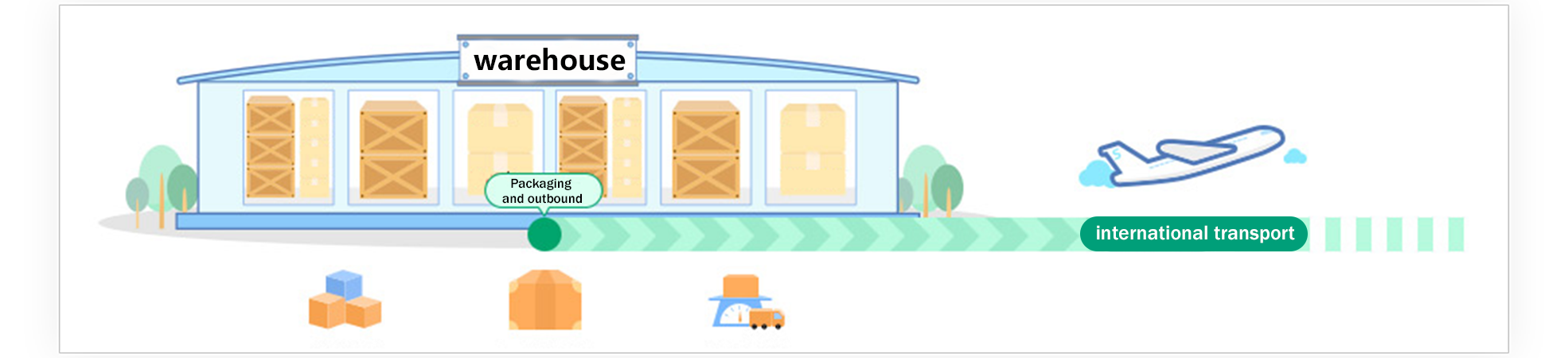
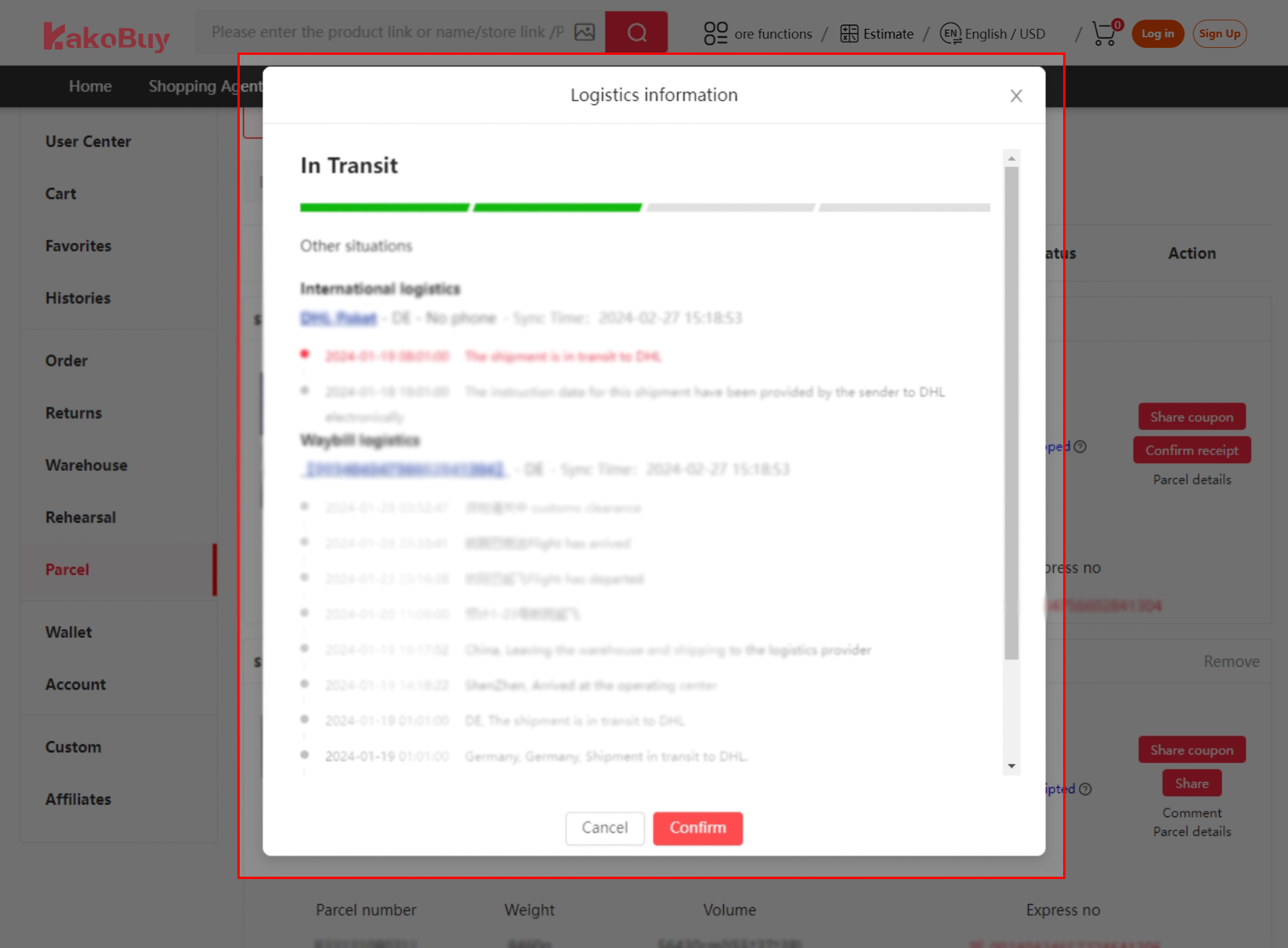
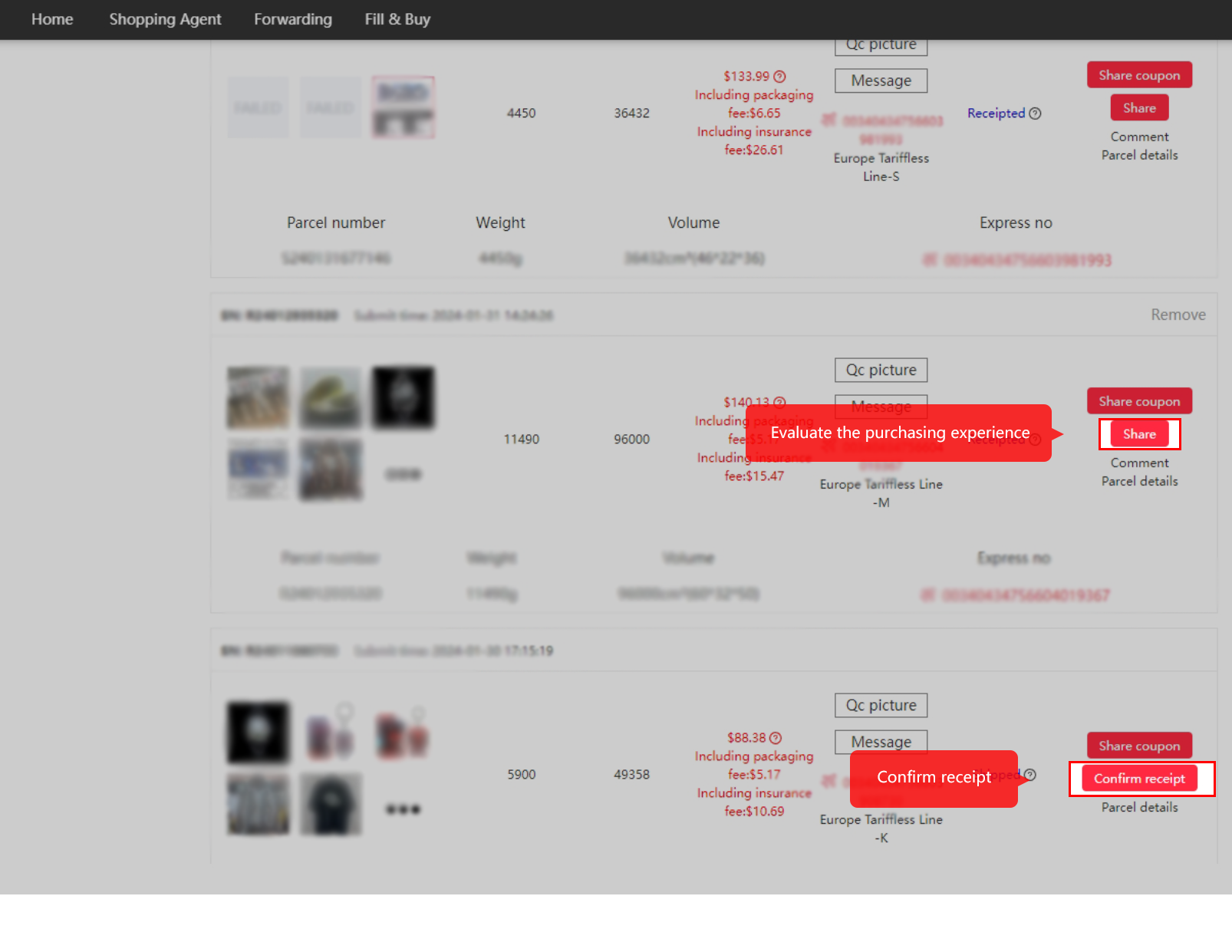
Once you have received and checked the parcel, use Confirm receipt on the Parcel page in the User Center. You can then leave feedback on the purchase.
See the Kakobuy profile for service background, policy references and updates.
On 30 June 2026, a shopper reported that a 6.25 kg parcel arrived in Australia well packed. Tracking in the app lagged behind the carrier’s own tracking.
The purchase counter is the one most people use first: paste a link, pay Kakobuy, and its staff do the checkout, the seller chat and the domestic postage. This page follows that route and shows what to look for in the warehouse photos.
If a link cannot be read, help article 4 allows the link, name, price and other details to be filled in by hand.
Open a Kakobuy account (referral link)
The referral link records that you came from this site. What that means is set out on About this site.
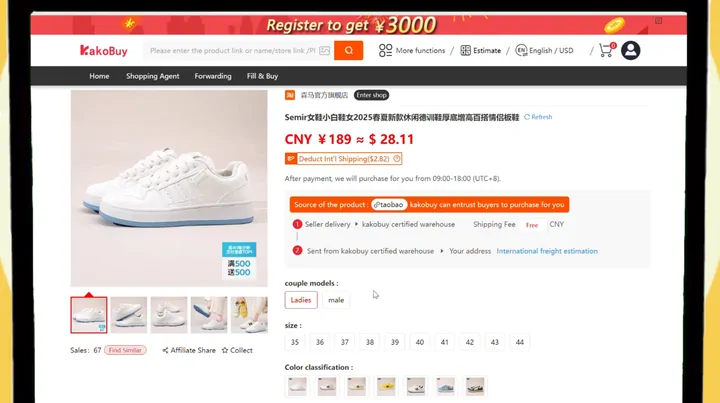
One video sits on Kakobuy's homepage. Its title card reads "How to Shop on Taobao Using Kakobuy". Running roughly ninety-four seconds, it shows the purchase route on a phone and a laptop: finding a product on Taobao, copying the link, choosing options on Kakobuy, paying, the warehouse photos, adding a delivery address and the parcel reaching the buyer's door.
It is played here uncut, from Kakobuy's own server, and only when you press play. Some screens in it show promotions from the time it was made, such as a registration banner; check the current offer on kakobuy.com rather than the one in the video. The current announcements we read are on Notices and threads.
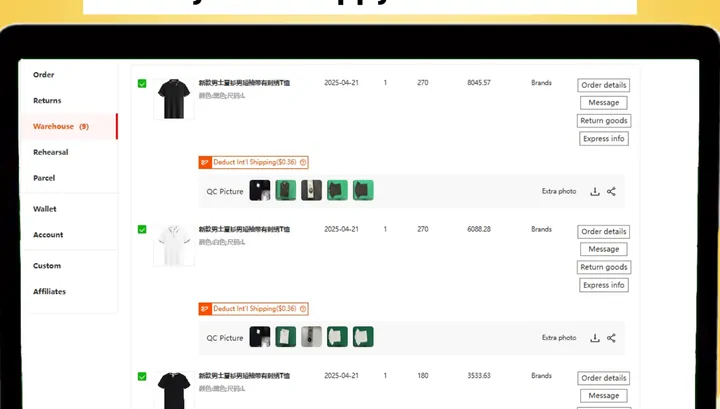
When a purchased item reaches the warehouse, it is inspected and photographed, and the pictures sit beside the item in your warehouse list as QC Picture. Kakobuy's tutorial image below points to exactly that spot: User Center, then Warehouse, then the thumbnail under the product.
Help article 89 limits the purchase-order check to how an item looks: its model, style and size. Garments, shoes, bags and suitcases are the only goods opened; other goods, and anything sealed or taped shut with sealing strips, are looked at from outside. Electronics get no test of function, genuineness or quality.
Kakobuy's help centre gives no count of free photos. Kakobuy's own video says otherwise in two places: a checkout reminder at 0:53 says two photos are taken for each product, and the warehouse screen at 1:05 shows five thumbnails beside an item. Treat the count as something to see on your own order rather than a promise.
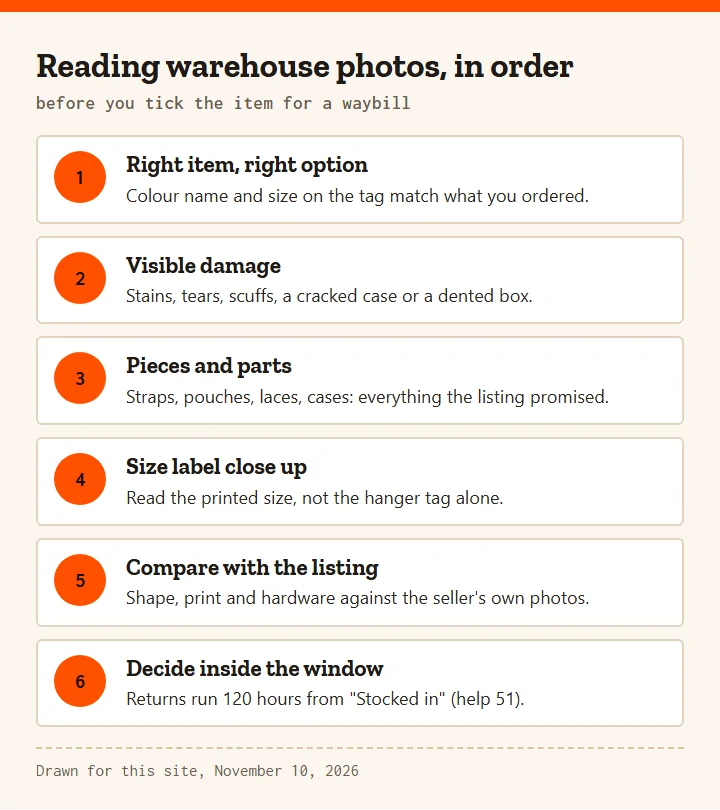
The photos are the final look at the goods ahead of packing, and reading QC photos goes better in a fixed order. First the obvious: is it the right item, in the colour and size you chose? Then damage: stains, tears, scuffs, a cracked case. Then completeness, counting every strap, pouch, lace and box the listing promised. Then the size label, read close up rather than from the hanger tag. Last, put the photo next to the seller's listing images and compare shape, print and hardware.
When a photo shows a problem, use the return window. Help article 51 runs Kakobuy's 5-Day Return/Exchange Guarantee for 120 hours from the status "Stocked in", relayed to the seller, and lists exclusions such as undergarments and items with tags removed. Extra close-ups are a paid option, priced on Kakobuy's value-added pages.
None of this applies in the same way to a transfer parcel. Goods you bought yourself are checked against your declared count, colour and size, as described on At the warehouse door.
The frame below comes seventy-one seconds into the same video. It shows the warehouse list with several items, each with its QC Picture thumbnails and buttons for order details, messages, returning goods and express information, plus an extra photo link. This is the screen where purchase goods and transfer goods meet: both end up in the same list, and either can be ticked for one waybill as long as the weight limit of the chosen line allows it (help article 94).
The video was uploaded on October 18, 2025, so labels may have moved since. The rule it illustrates has not changed: help article 7 still says only goods that have arrived in the warehouse can be selected for a waybill, which we re-read on November 10, 2026.