Your transfer order starts before the box lands and ends after it is stored
Kakobuy's forwarding runs on one form and two addresses. Get them right before the seller ships and the box is matched to you on arrival, checked, stored and ready for a waybill.
The warehouse address sits behind your login
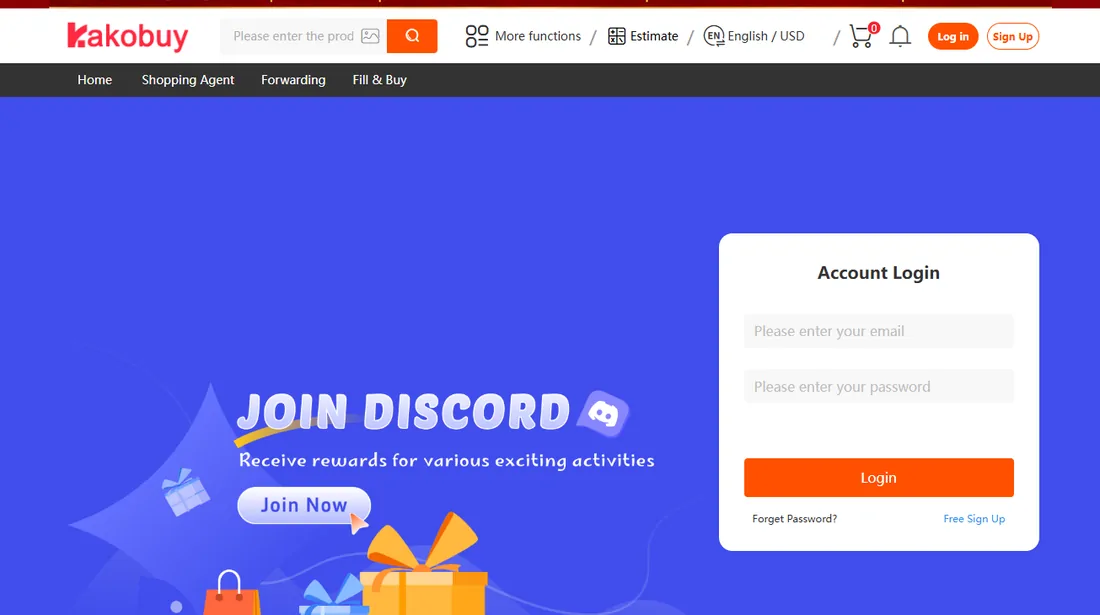
Kakobuy does not publish its receiving address on open pages. Help article 93 sends you to Member Center, then the International Forwarding column, then Warehouse Address, where the complete address is shown to signed-in members. On November 10, 2026 we opened the Forwarding tab in Kakobuy's header without signing in, and it led straight to the login form captured below.
This site does not print the street address either. It is Kakobuy's to give, and a copied address from a forum post is the kind of detail that goes stale without warning. The city is no secret: help article 52 states that the warehouse is in Xiamen.
When you paste the address into a seller's checkout, copy every line exactly as Kakobuy shows it. Chinese address forms split province, city and district into dropdowns; pick those to match, then paste the rest into the detail field. If the seller asks for a phone number and the address block contains one, use that number rather than your own.
Fields the transfer order asks for
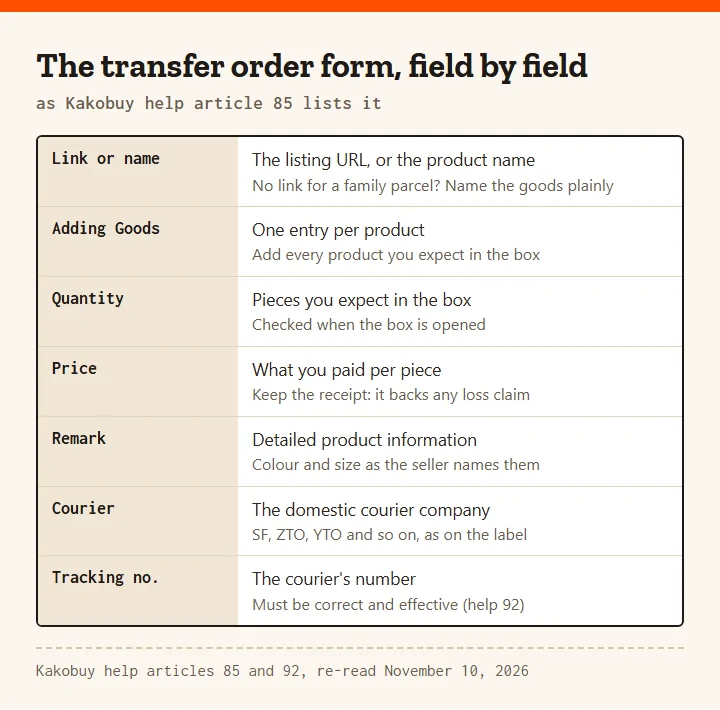
Help article 85 describes the parcel forwarding order in one long sentence, and every clause in it is a field. You fill in the link or name of the product, click Adding Goods, enter the quantity and the price, note the detailed product information in a remark, and fill in the courier information for the delivery to the Kakobuy warehouse. After the goods arrive, Kakobuy inspects them and stores them "according to the filled-in order information".
That last phrase is why the remark matters. Quantity, colour and size are compared with your own words, so copy the seller's option names rather than describing the item in your own words. If the seller calls a colour "apricot", write apricot.
The price field has a second use. Help article 112 caps compensation for transfer goods lost or damaged in the warehouse at 5,000 RMB per transfer order and asks for proof of the transaction. Keep the seller's order page or receipt until the parcel is in your hands.
Saving your overseas address before anything ships
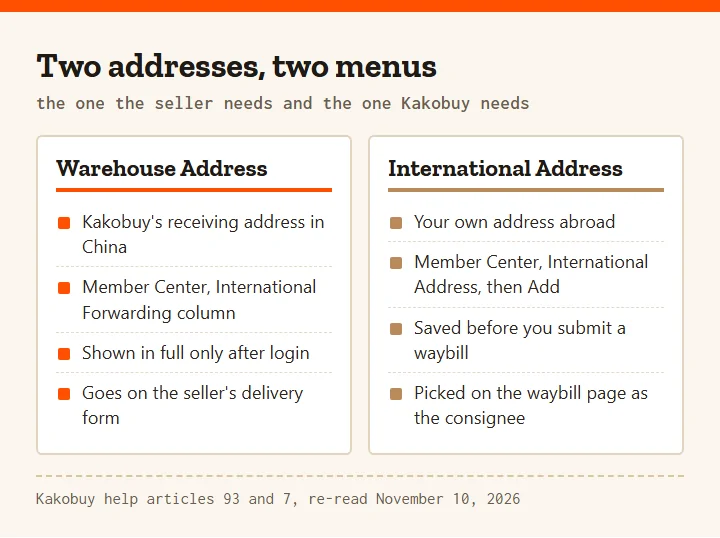
Two addresses are involved and they live in different menus. The seller needs Kakobuy's warehouse address. Kakobuy needs yours, and help article 7 puts it first in the consolidation steps: click International Address in the member center, fill in your overseas consignee information, then click Add in the upper right corner to save it.
The order of the remaining steps in that article is the order this site's pages follow. Select Consolidation on the homepage and submit product and logistics information; wait for the transshipment package to be stored; then, in My Orders, select the goods in the state "Can submit the waybill", click Submit Waybill, choose the consignee address you saved, choose a route and pay.
Saving the overseas address early costs nothing, and it means the waybill page offers your address when the goods are ready instead of sending you back to the member center.
The box arrived before the paperwork
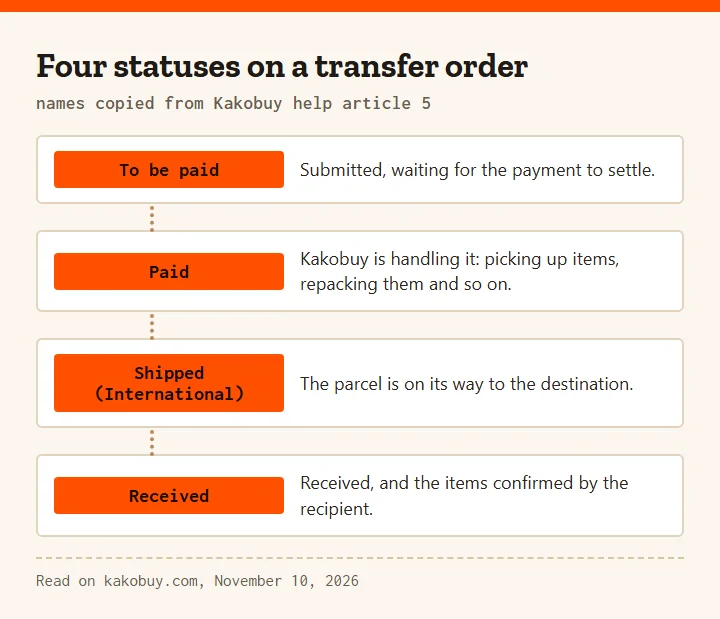
It happens: the seller ships faster than expected, or a relative posts a parcel without telling you. Help article 96 covers a transit parcel that reaches the warehouse with no order placed in advance. Kakobuy signs for it and stores it as a special case, but destroys it once it has been stored more than 60 days and nobody has made contact. You cannot see its status until you place an order with full details of the package and goods, because those details are the only way Kakobuy can tell whose parcel it is.
Help article 92 gives the route: Member Center, then International transfer, then Submit order, and enter the correct logistics tracking number. Special items are updated at 09:00 and 15:00 every day (Kakobuy's pages show a UTC+8 clock), so if you submit details at noon, look again after three in the afternoon.
Help article 1 adds a third mention of the same window: abnormal packages, meaning signed-for parcels with no order or incomplete logistics information, get 60 days counted from the status "Signed for".
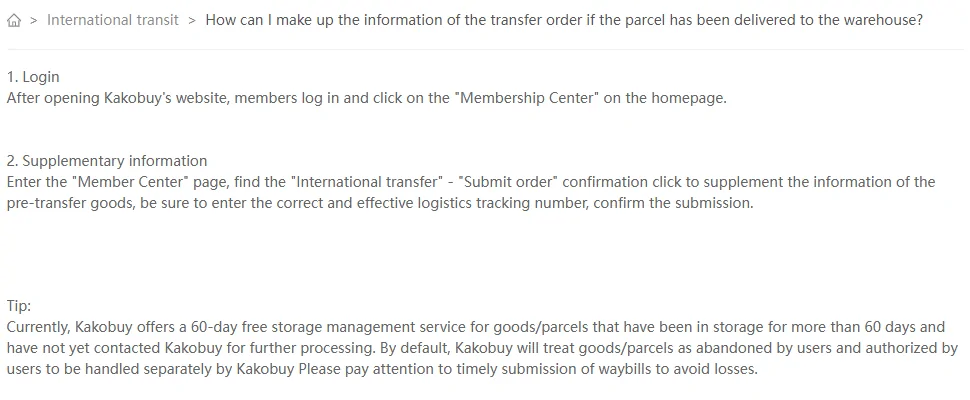
Four statuses on a transfer order
Help article 5 names four statuses for an international transit order. To be paid means the transit order has been submitted and the payment has not settled. Paid means Kakobuy is handling it: picking up items, repacking and the rest. Shipped (International) means the parcel is on its way. Received means it has arrived and the recipient has confirmed the items.
These names describe the outbound stage, after you submit and pay for a waybill. Before that, the goods sit in My Orders, and the state that matters there is "Can submit the waybill". Help article 7 is plain about the order of things: only goods or parcels that have arrived in the warehouse can be selected for a waybill, and Kakobuy sends a message on the site when they arrive.
Waybill, line choice and payment
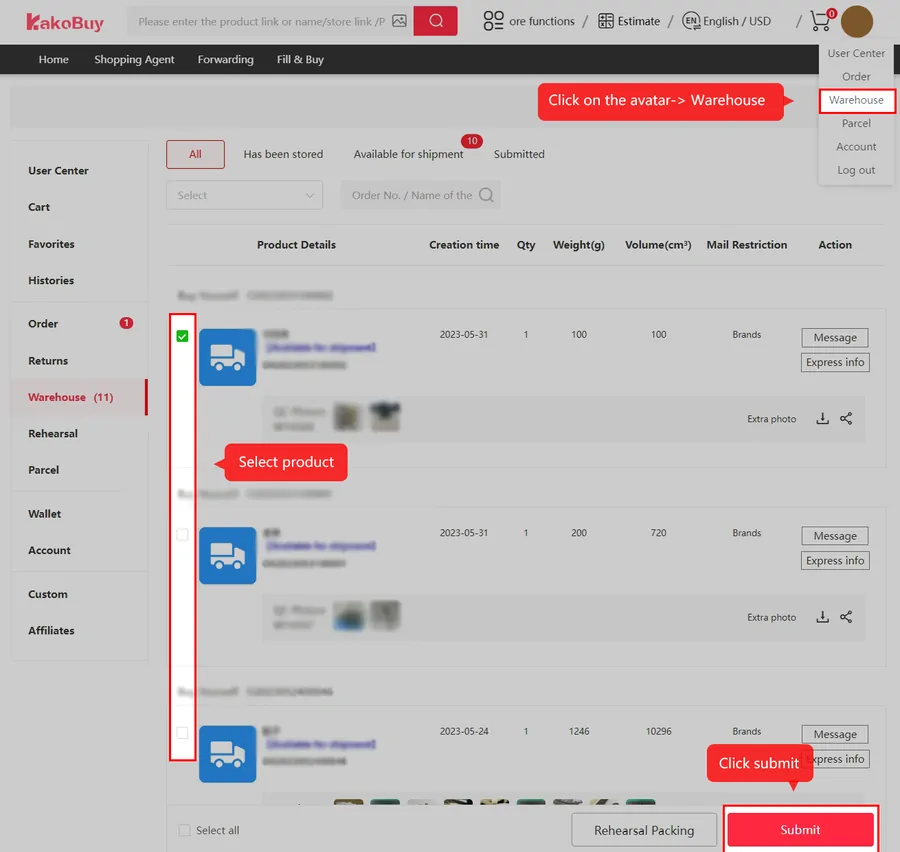
Once the goods show as storable, tick them in the warehouse list. If several items should travel in one parcel, tick them together. Click Submit Waybill, and the waybill page lists every channel available for your country with its shipping cost, which help article 7 says the site lists automatically. Pick a line, check the fees and pay.
The tutorial capture below, from Kakobuy, has the warehouse list with its select boxes and submit button. The amounts and products in it are Kakobuy's own example values from 2024, not prices for your parcel.
After payment, help article 106 says the parcel is shipped within 24 hours and that the logistics company arranges pick-up within two working days, later around weekends and public holidays. From there the order moves to Shipped (International). Freight, the per-parcel fee and the lines we read on the estimator are on Money and routes.